Hoops Room is a private team playbook. Players sign in with their own code and watch each play run, step by step, with their name and the time stamped across the court. You see who studied, who passed the quiz, and who didn't open it. Game plans, scouting, a practice planner, a live scorekeeper with shot charts, and a library of 600 ready made plays from the NBA and college game come with it.
Built by a coach and running all season for a varsity program. Set up for your team in a day, in your colors. Send me your plays, or links to them, and I'll help build your playbook. Or draw them yourself with your assistants on the coach board.
Hoops Room runs in the phone's browser and installs to the home screen like an app. Nothing to download, nothing for parents to approve, nothing that stops working when a kid gets a new phone.
Two ways. Send me your plays or links to them (photos of a whiteboard, a PDF, a FastDraw export, a YouTube link) and I'll help build your playbook. Or draw them yourself with your assistants on the coach board: drag the tokens, add a step, and each step animates from the last one.
Six characters, theirs alone. Text it from the coach board. They open the link, type the code, and the playbook is theirs for 30 days at a time. Turn any player's access off with one tap.
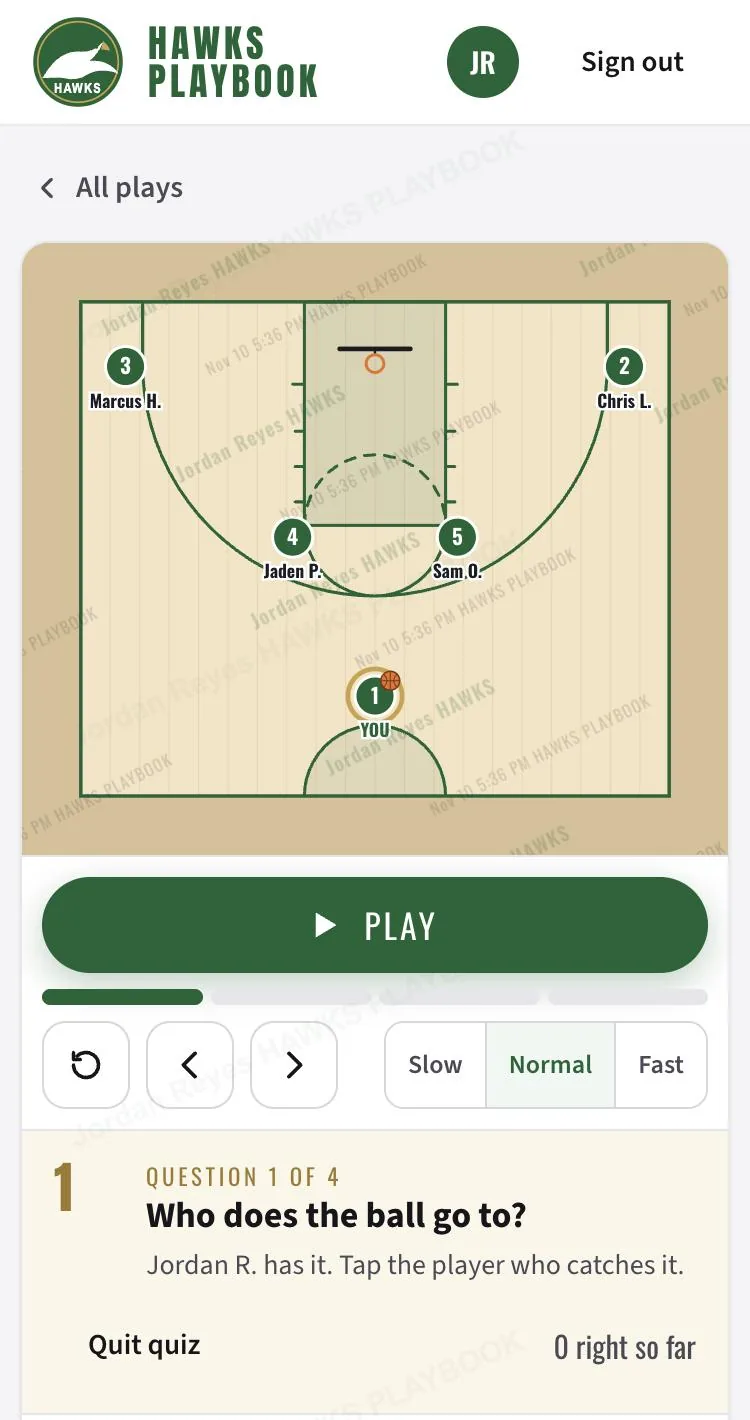
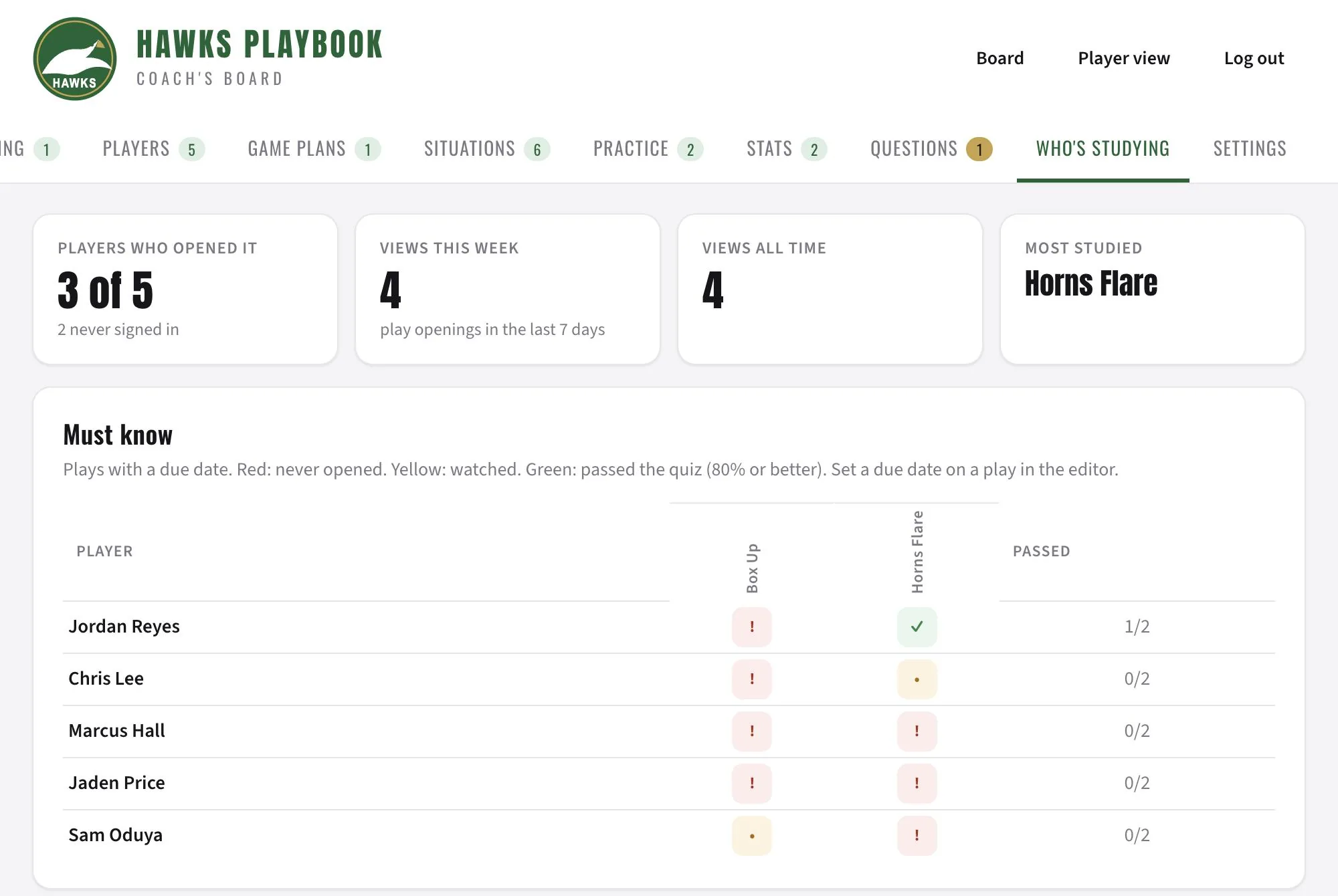
Every play opened is logged by player. Quizzes score who really knows it. Give a play a due date and the list turns red, yellow and green by player, so Tuesday's film session starts with facts.
This is one program's working system, not a feature list. Every piece below is in the demo. Tap any screenshot to open it live.
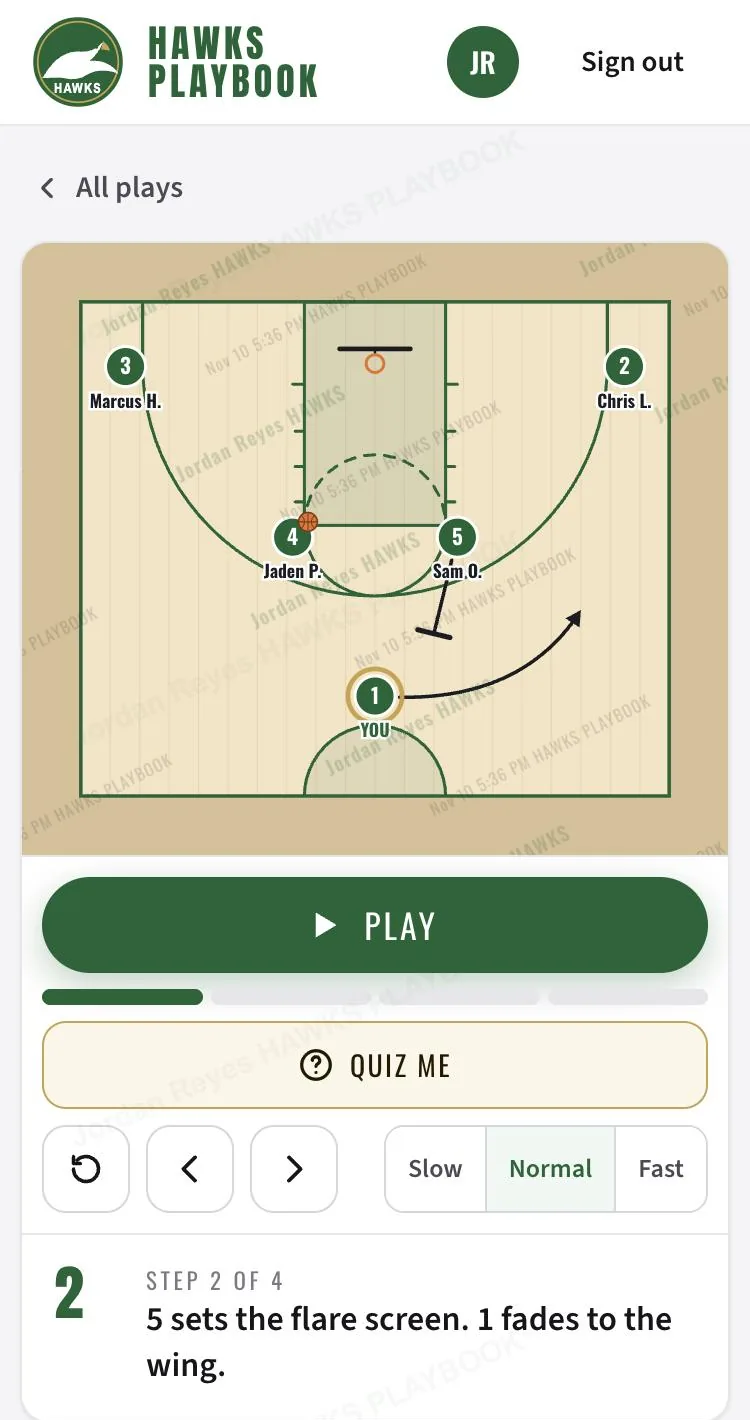
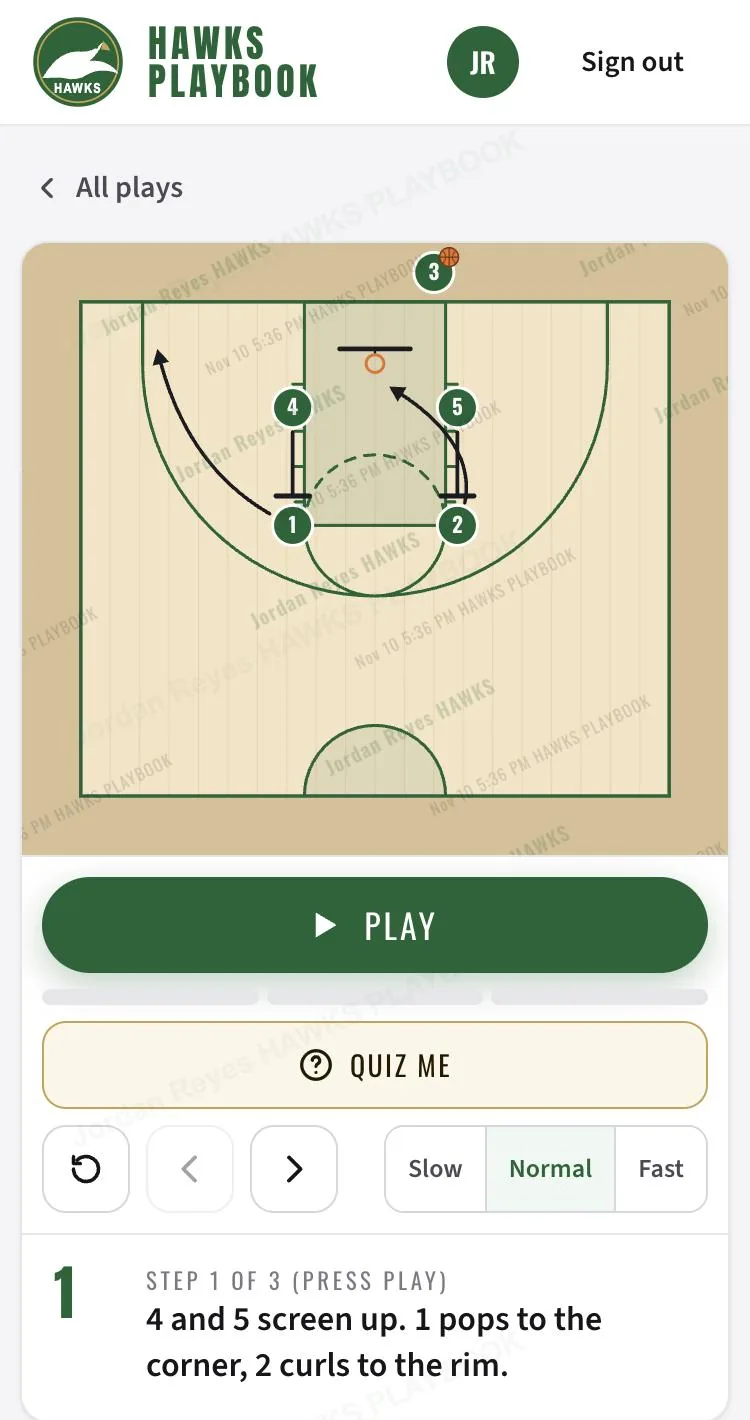
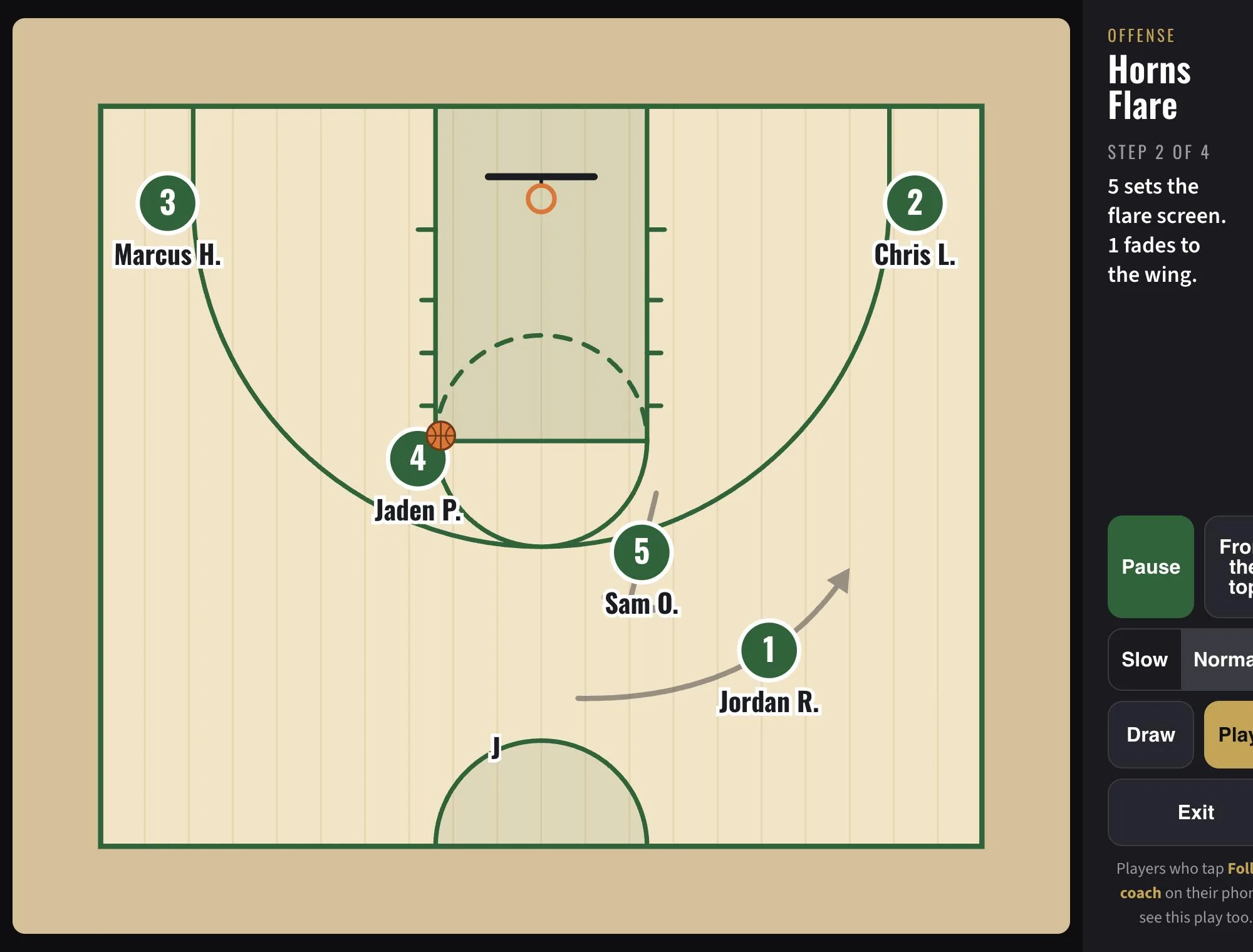
A still diagram asks a 15 year old to imagine five people moving at once. Hoops Room plays one step at a time: the screen, the cut, the pass, the shot, with the coach's note under each step and the ball changing hands on the pass.
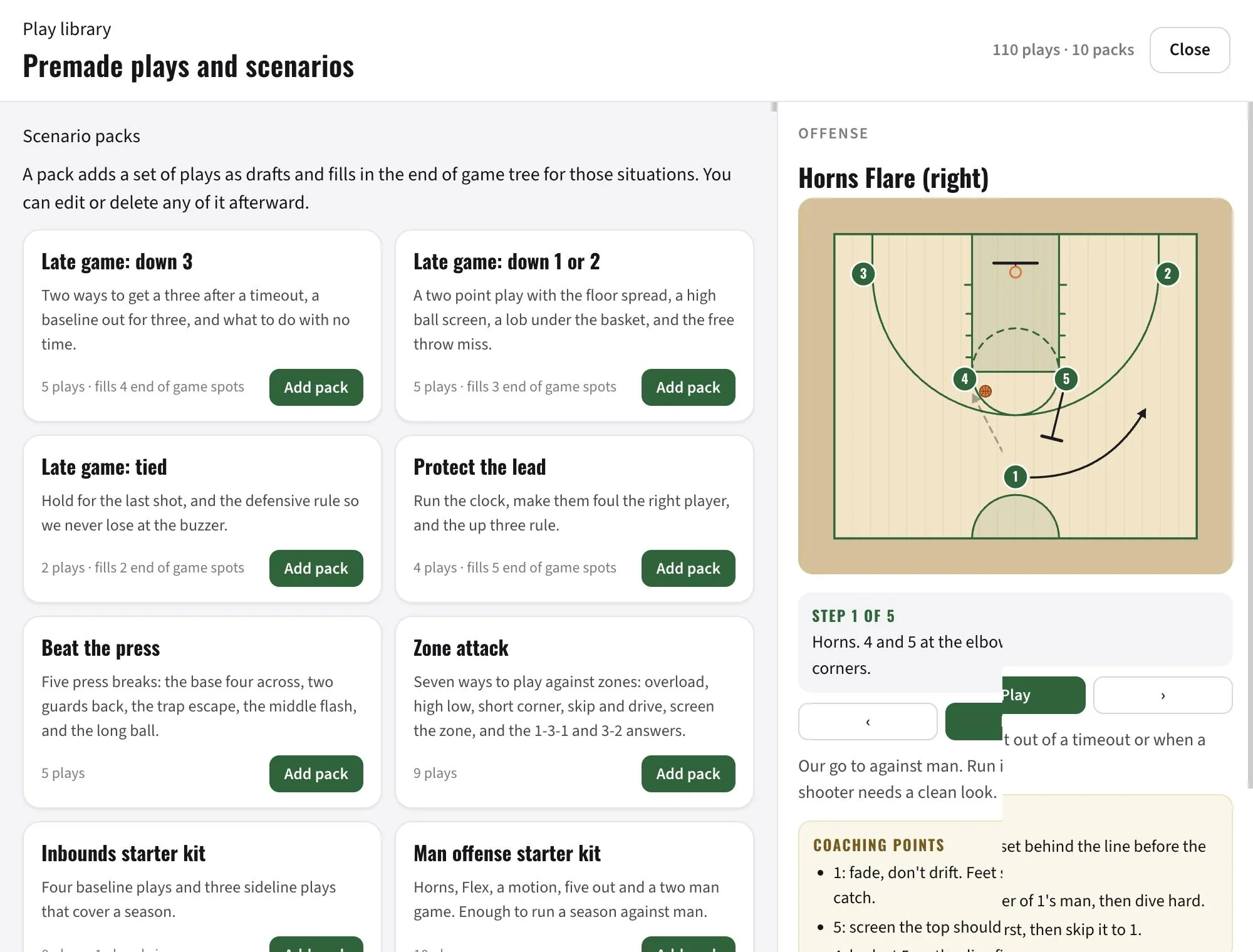
You don't start from a blank court. Answer six questions about your team and Build my playbook picks a starter book for you, end of game tree included. Or open the library, watch any play run, read the coaching points, and add it to your playbook as a draft. Horns, Elbow, Delay, Zipper, Floppy, Pistol, Spain, Zoom, Chicago, Iverson, Hawk, Princeton, Triangle, Flex, Swing, Shuffle, Wheel, the Carolina break, 73 baseline and 45 sideline sets, zone attacks, press breaks, presses, defensive slides and the late game plays, every one drawn step by step and named the way the NBA and college coaches call them.
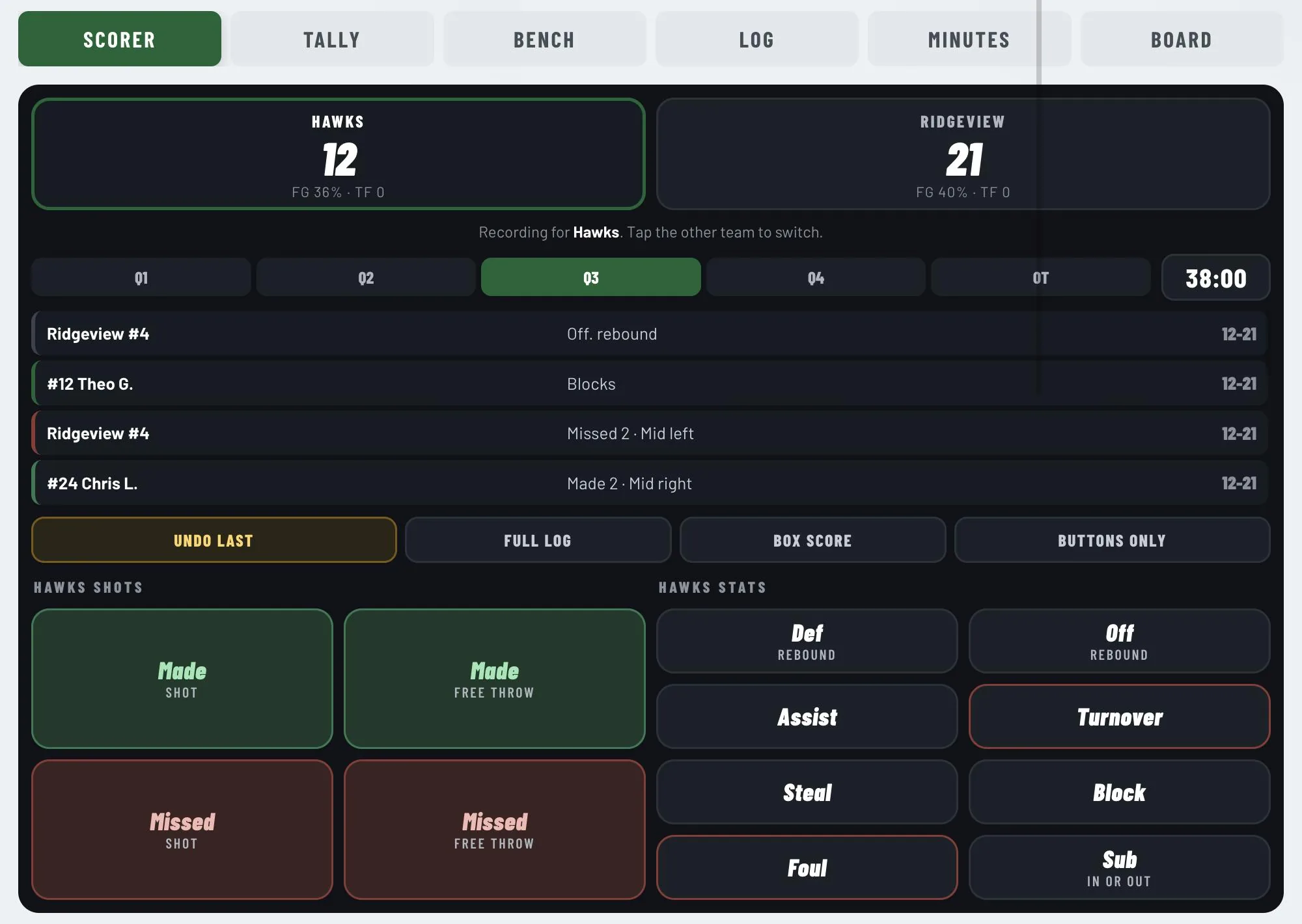
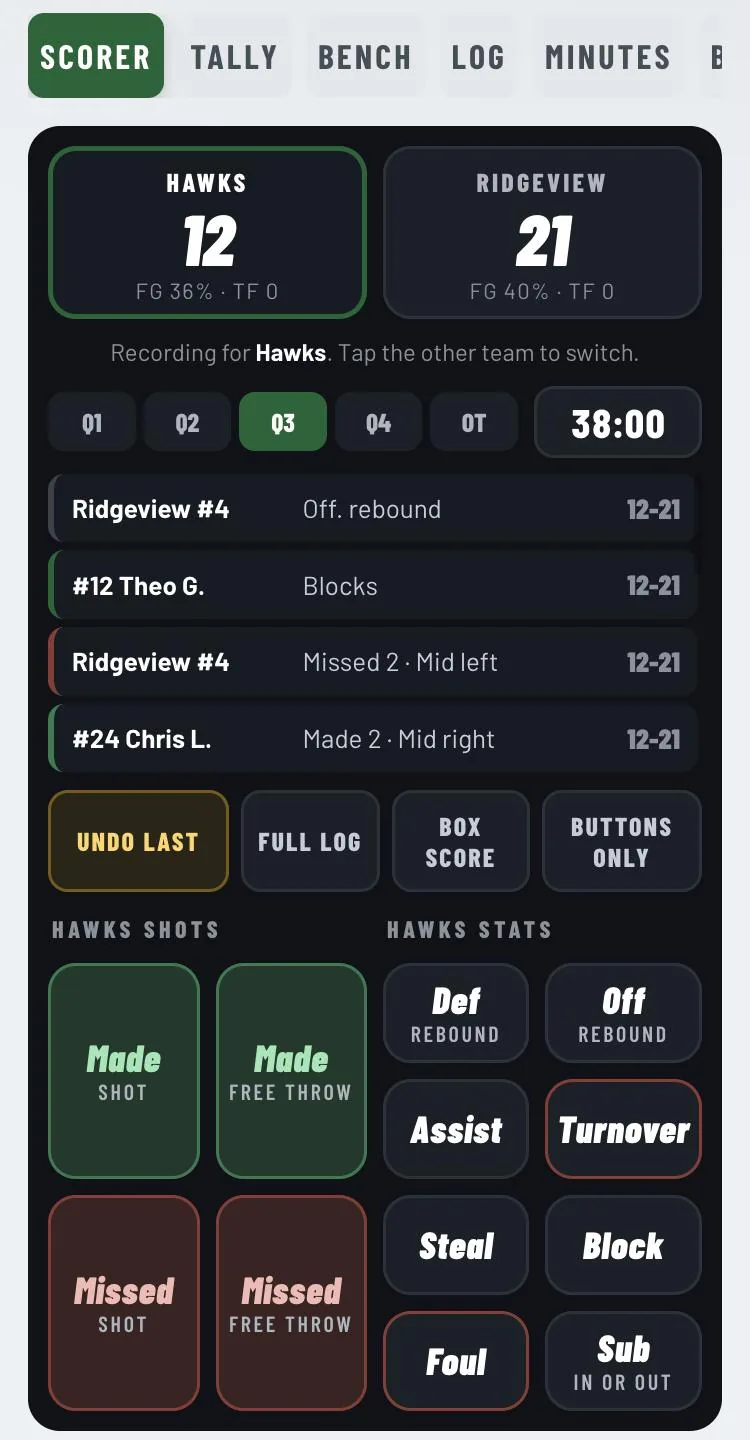
One screen for the bench: shots on the left, scoreboard and play by play in the middle, rebounds, assists, steals, blocks, turnovers, fouls and subs on the right. Tap the stat, tap the player. Tap a missed shot and it asks who got the rebound. Tap the other team's score and the same buttons record for them by jersey number.
The scorer works on a phone in portrait, a tablet in landscape, or two phones with split jobs: one keeps the book, one keeps hustle stats. A read only link gives families the live score, the box score, lineups and the shot chart without a login.
Every play, every video frame and the page behind them are tiled with the player's name and the time. Copy, print and right click are off. Switch apps or let the phone sit and the playbook blurs itself until it's tapped again.
The coach board shows a grid: every player down the side, every play across the top. Red means never opened, yellow means watched, green means passed the quiz. Give a play a due date and the players see the same checklist.
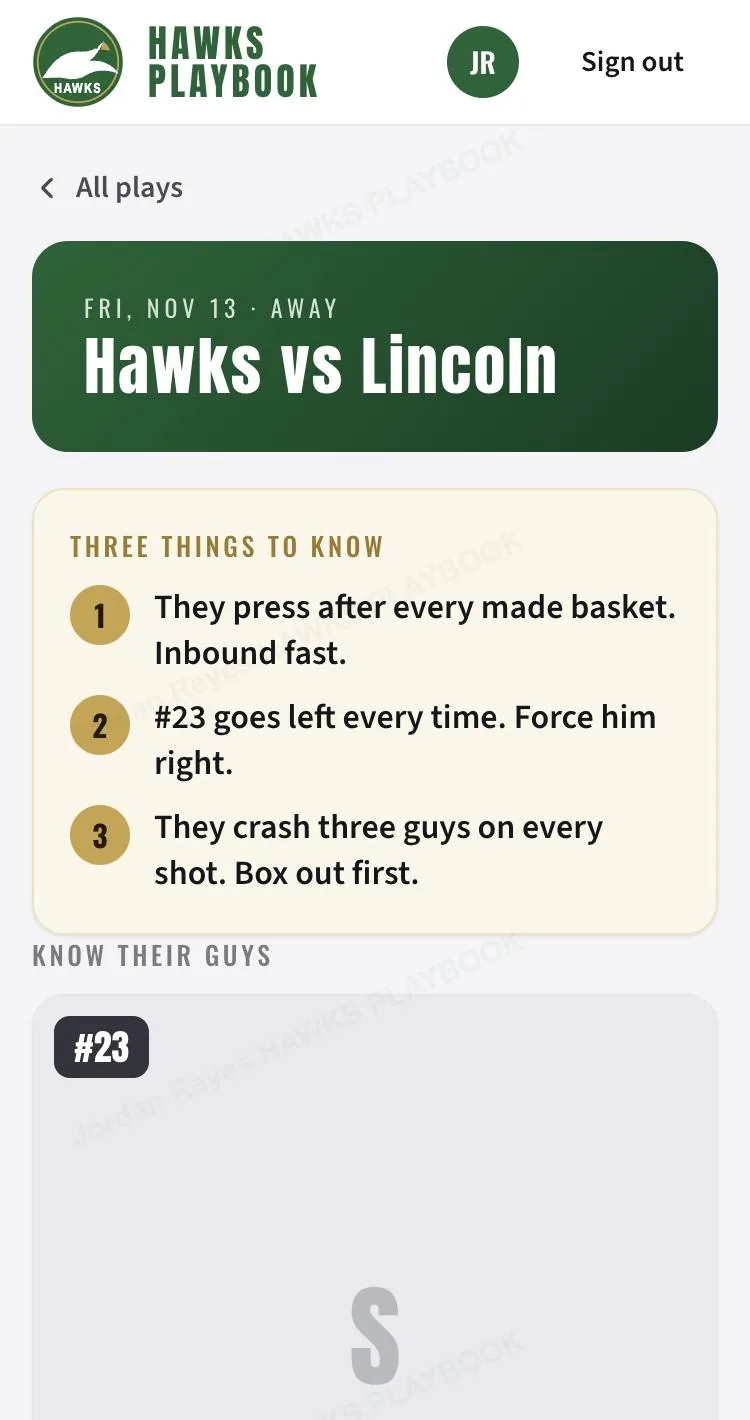
Build a game plan: three things to know, their personnel with photos, how we guard each guy, what they run (drawn as scouting plays), our calls for the night. Players get it as a card at the top of their playbook with a prep quiz to pass by tip off.
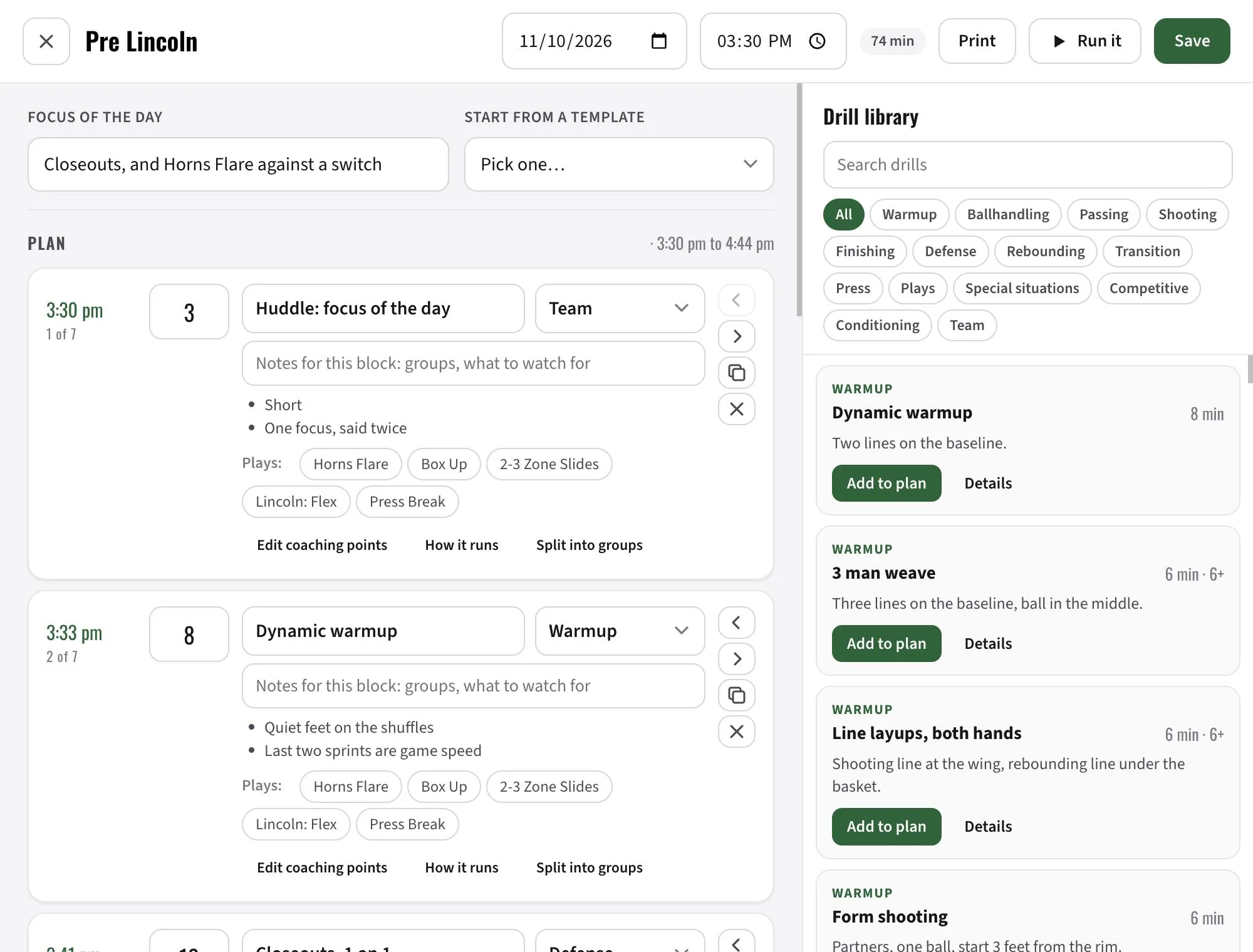
Pick a focus, drag in blocks from a library of 75 drills (set up, how to run it, coaching points, variations) and your own, and the planner clocks every block for you. Hit Run it in the gym and a big clock walks the practice with you.
Board mode runs any play full screen on a loop. Draw on it with a finger. Tap Follow coach and every player's phone opens the same play and holds on the same step you're on. Works in the gym with no signal: the coach board caches itself.
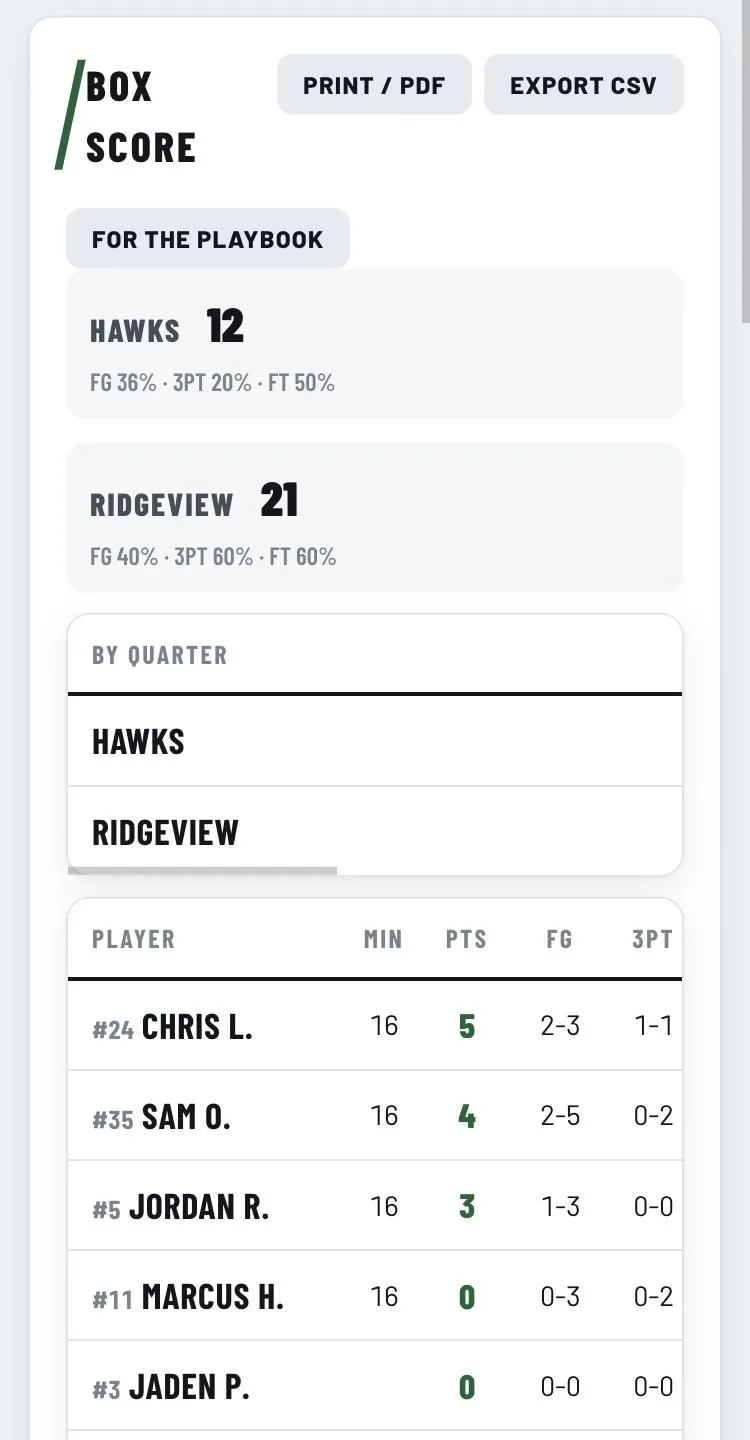
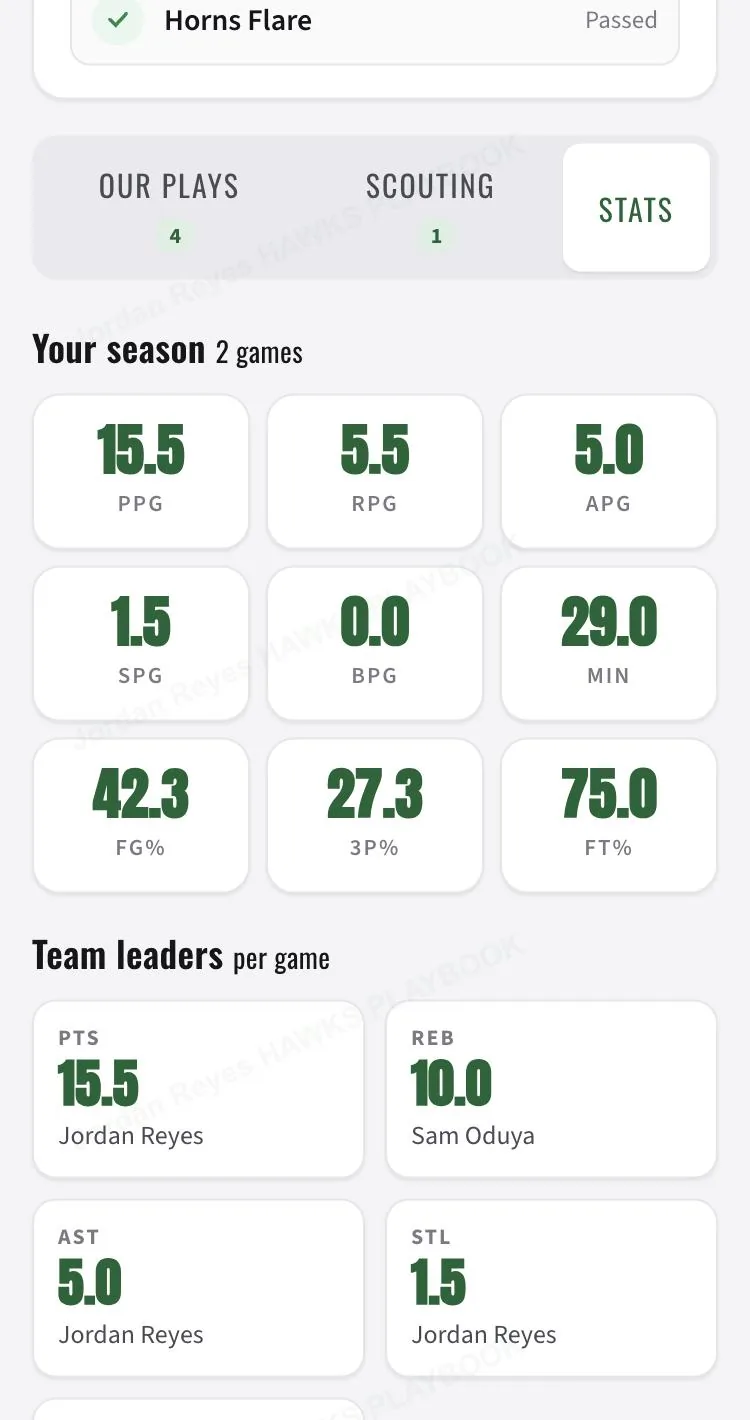
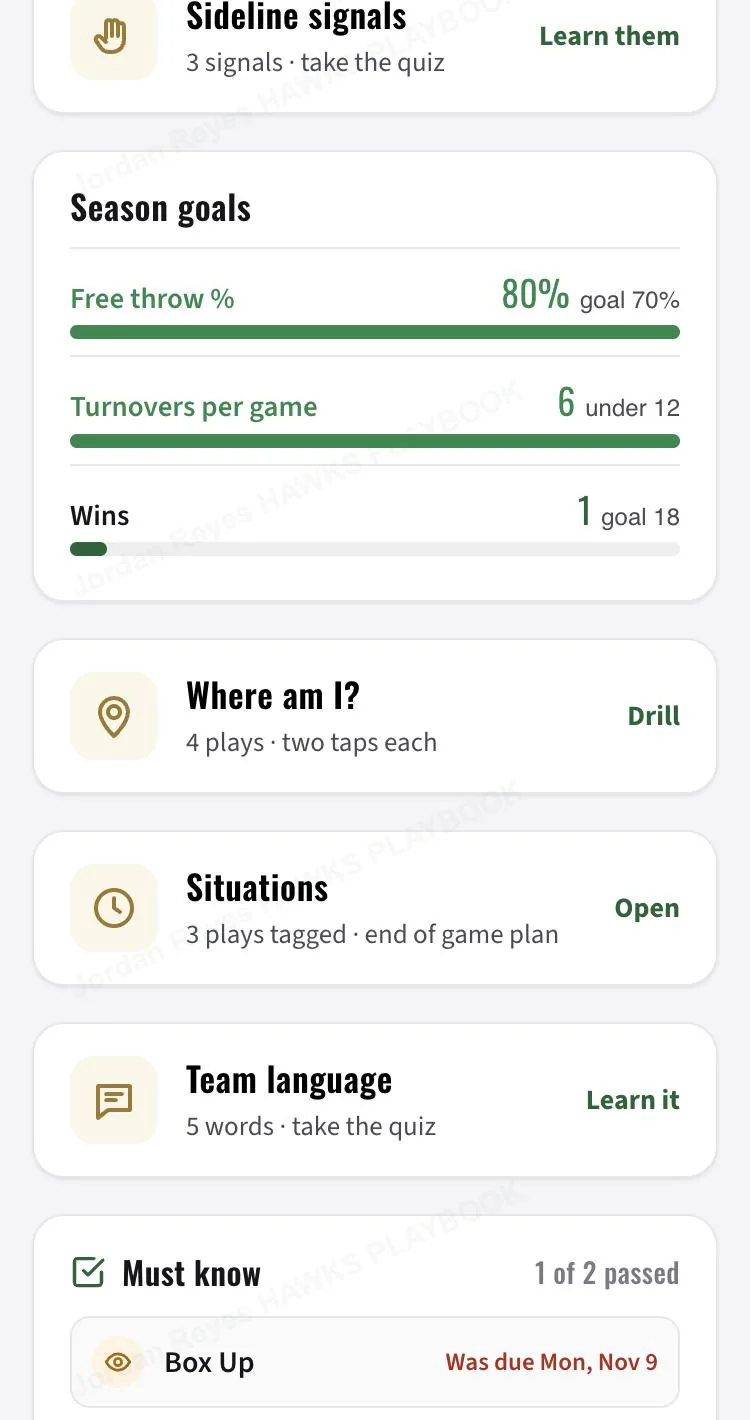
The scorekeeper exports a box score the playbook reads in one drop, or import a Hudl CSV, or type one in. Season table, leaders, per game lines, and season goals the players watch fill up on their home screen: free throw percentage, turnovers, wins, whatever you set.
A photo or call word per play. Players learn them with a multiple choice quiz.
Fist, Ice, Weak, Red. What each word means, linked to the play, with a quiz.
138 tags in eight groups. Players tap "Box and one" or "They ice the ball screen" and see every play we run for it.
Paste your Google Calendar feed. Players see what's next and add it to their phone.
Talk a play through once. Players hear you while the animation runs.
Injury, absent, late, kudos. A flag by the name for two weeks, and it feeds the progress report.
Full box score, shot charts, quarter scoring, lineup plus/minus and hustle stats per minute, scored from the bench on phones. Included. See the Hawks' board
Installs on iPhone and Android with a badge for new plays and quizzes due.
A second passcode for assistants: the Board, bench log, box scores, notes, plans and practices. No editing the book.
Varsity, JV, 14U. Each team has its own roster, plans, practices, box scores and scorer. Plays and the glossary are shared.
The coach board loads with no signal. Bench calls queue up and send when you're back online.
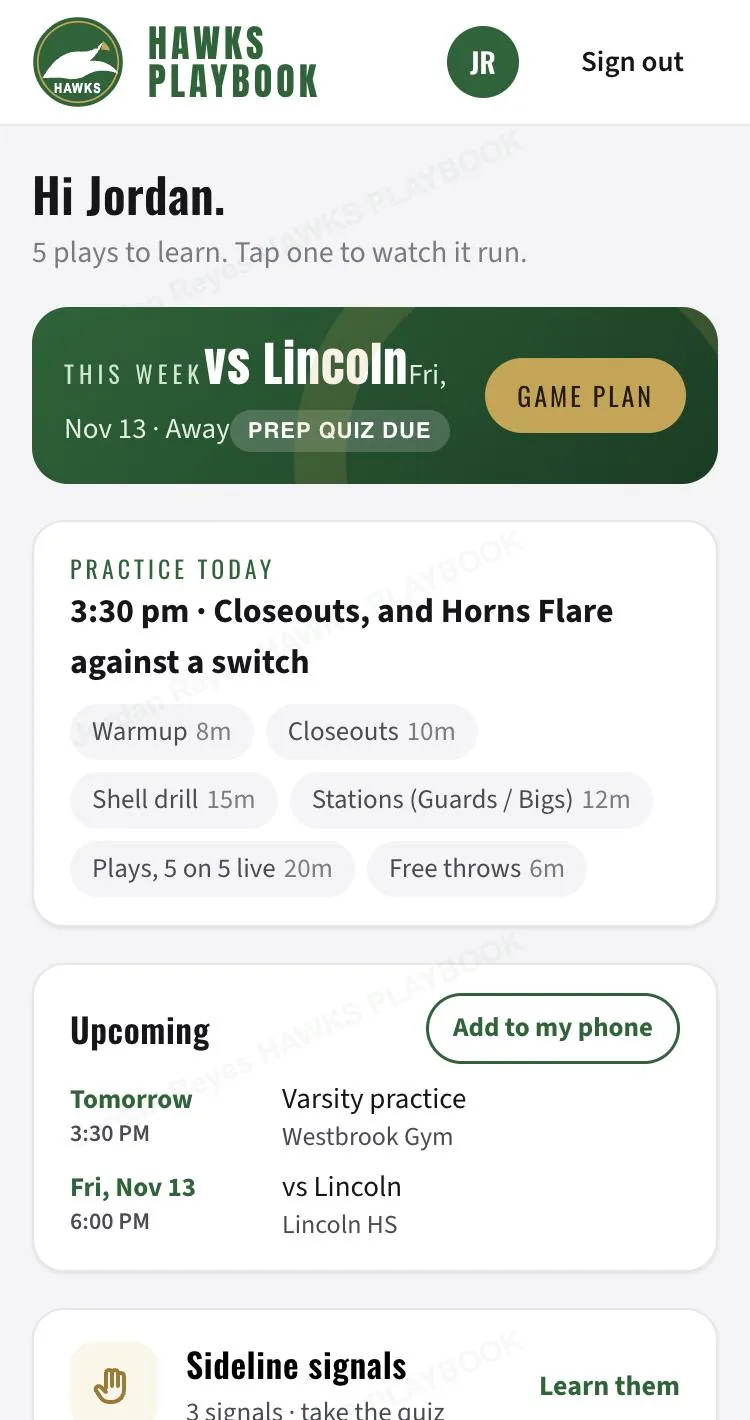
The Westbrook Hawks are a made up team with five plays, four players, a game plan for Friday, a practice for today and two games of stats. Nothing you do is saved. Reload and it resets. You can also keep the box score of a live game as the scorer, or see the finished games the way parents do.
Two more doors: the player home on game day, and the coach board as an assistant.
You're Jordan Reyes, a guard on varsity. Open it on your phone if you can, that's where players live.
The coach board is built for a laptop or iPad, and it works on a phone in a pinch.
It's the start of the third quarter, Hawks down nine to Ridgeview. One screen: shots on the left, score and play by play in the middle, everything else on the right. Tap the stat, then the player.
No per player fees, no app store cut, no upsells inside the app. Tell me about your team and I'll send you a price. You pay once, I set it up, your team uses it all season.
Email me at adam@mainline-webdesign.com or send the form below with your team and level, and I'll come back with a price within one business day. Varsity and JV count as one team if one staff runs both. Paid by card or check after I set you up, before the players get their codes.
Get a price for my teamOn an iPhone, yes, the web can't block the screenshot button. What they get is the play with their own name and the time tiled across it, and your view log shows they had it open. Copy, print, right click and app switching are blocked, and the page blurs itself when it loses focus. Kids figure out fast that the picture is traceable.
No, three ways around it. The library has 615 plays and 35 scenario packs you add with one tap and edit from there. Or send me your plays, or links to them (photos of your whiteboard, a PDF, an old FastDraw export, a YouTube link, a text description), and I'll help build your playbook. Or build it yourself with your assistants. The coach board drawing tool is quick: drag a player along the path you want and that is the arrow, end on a teammate for a screen, tap a teammate to pass, tap the rim to shoot, press Next step and everyone starts where their arrows ended. Hold a player for cut, dribble, screen or waits. Undo, mirror the whole play, 25 formation presets, and keyboard shortcuts on a laptop. Most coaches draw a play in under three minutes.
A phone with a browser. iPhone or Android, nothing to install. They open the link, type their code, and can add it to the home screen so it behaves like an app with a badge for new plays. No account, no email, no password.
Usually one day. You fill in the form below, I build your site in your colors with your logo, enter your plays and your roster, and send you the coach login and a text you can forward to the team with their codes.
No. One price per team per season covers every player and every coach. There is nothing to buy inside it. Email me or send the form and I'll quote your team.
No. Hudl is film. Hoops Room is the playbook, the scouting report, the practice plan and the bench board. It imports Hudl's box score CSV so your stats live next to your plays.
Groups handle it. Put players in Varsity, JV or Frosh and decide per play who sees it. One staff, one price. A separate program with its own staff is a separate team.
Close the playbook with one switch so nobody can get in, and your plays, plans and stats stay put. Renew for the next season and everything carries over, with a one tap roster reset for the players who graduated.
Adam Miller. I'm an assistant varsity coach and a middle school PE teacher outside Philadelphia, and I build websites for leagues and tournament directors. Hoops Room started as the playbook for my own team and grew every week of the season from what the players and staff asked for.
Fill this in and I'll reply within one business day with your coach login, a link for your players and an invoice. No card needed to start.